Free VR casino games let you play with virtual chips rather than deposited money. Depending on the app, you can join multiplayer poker tables, practice blackjack, spin virtual roulette wheels, try slots, or explore a social casino environment. The chips generally have no cash value and cannot be withdrawn as winnings.
“Free,” however, usually means free to download or free to start—not necessarily that every item or feature costs nothing. An app may sell chip bundles, avatar items, props, or other optional content. Always check the current store listing before installing.
This catalogue focuses on play-money VR casino applications. It does not rank real-money casinos or gambling services.
What “Free” Means in VR Casino Games
A free-to-play VR casino typically gives players virtual currency for use inside the app. That currency simulates betting but is separate from a cash balance.
Free-to-play does not always mean no purchases
The most common models are:
- Free download: The base application can be installed without an upfront purchase.
- Virtual starting balance: New players receive chips or tokens for the available games.
- Recurring chip awards: Some apps offer periodic allocations, login rewards, or other ways to continue playing.
- Optional purchases: Additional chips, cosmetics, avatar items, or accessories may be sold inside the app.
- Restricted features: Certain rooms, items, or customization options may require progress or payment.
The exact model can change through application updates. Review the headset store’s price, in-app purchase disclosure, age rating, and supported-device list before downloading.
Virtual chips are not cash winnings
In the applications covered here, virtual chips are gameplay resources. They may be won or lost at simulated tables, but they are not presented as money that can be withdrawn to a bank account or payment wallet.
| Feature | Play-money VR casino game | Real-money gambling service |
|---|---|---|
| Main balance | Virtual chips or tokens | Deposited funds |
| Cash deposit required | No for ordinary play-money access | Usually required to wager |
| Withdrawable winnings | No | May be available under the service’s rules |
| Typical purpose | Entertainment, practice, and social play | Financial wagering |
| Optional spending | Chip packs, cosmetics, or digital items may be offered | Deposits and wagers |
| Headset experience | Immersive rooms, tables, avatars, and motion controls | Varies by operator and platform |
If the distinction matters to your choice, read the dedicated comparison of real-money and play-money casino experiences.
Free VR Casino Applications to Consider
The shortlist below is intentionally limited to recognizable VR applications with play-money casino gameplay. It is not a ranking. Availability, supported headsets, modes, and purchase options can change, so confirm the current details in the official store for your device.
Vegas Infinite
Best suited to: Players who want several casino-style activities within a large social VR environment.
Vegas Infinite is a free-to-play social casino application built around virtual tables, multiplayer interaction, and an avatar-based venue. Its broader game selection makes it a practical starting point for players who do not want to install a separate app for every format.
The experience is designed around simulated casino play rather than cash withdrawals. Virtual chips are used at the tables, and optional in-app purchases may be available.
At a glance:
- Multiple casino game types in one application
- Virtual-chip gameplay
- Social and multiplayer spaces
- Avatar interaction and motion-controlled table actions
- Optional purchases
- Versions available across major VR ecosystems, subject to current store support
Because features can differ between platforms and updates, check whether your preferred game and social functions are included in the version for your headset.
Read the Vegas Infinite review for a closer look at its games, controls, comfort, and free-to-play model.
POKER VR
Best suited to: Players primarily interested in social poker tables.
POKER VR centers on multiplayer card play in an immersive environment. Its appeal is less about reproducing a silent casino floor and more about sitting at a virtual table with other players, using avatars and VR interactions while playing with non-withdrawable virtual currency.
It is a more focused choice than a broad casino hub. Players who mainly want poker may prefer that emphasis, while those seeking roulette, slots, or a wide collection of table games should compare it with a multi-game application.
At a glance:
- Poker-focused VR gameplay
- Virtual chips rather than cash wagering
- Multiplayer tables and social interaction
- Avatar-based presence
- Availability dependent on the current headset storefront
- Optional purchases may be offered
Before installing, check the official listing for supported devices, controller requirements, regional availability, and the current approach to free chips.
See the complete POKER VR review for more detail without turning this catalogue into a duplicate application review.
Blackjack Casino Poker
Best suited to: Players looking for a card-focused app and a straightforward alternative to a larger social casino.
Blackjack Casino Poker is another option to examine when comparing free VR card-game applications. As its name suggests, it is relevant to players interested in blackjack and poker rather than those specifically searching for slots or a large virtual resort.
Store listings and supported modes can change. Confirm whether the current version includes the game format, multiplayer functions, and headset support you want. The listing should also disclose whether optional chip or item purchases are available.
At a glance:
- Card-game emphasis
- Play-money casino format
- Relevant to blackjack and poker players
- Headset and multiplayer support should be confirmed in the current listing
- May include optional in-app purchases
Read the Blackjack Casino Poker review for its current modes, controls, compatibility, and limitations.
Quick Application Comparison
Use this table to narrow the shortlist before checking the relevant storefront. It summarizes each app’s role rather than replacing current compatibility information.
| Application | Primary reason to choose it | Game scope | Virtual currency | Social focus | Best next step |
|---|---|---|---|---|---|
| Vegas Infinite | A broader casino-style environment | Multiple game types | Play-money chips | Strong multiplayer and avatar emphasis | Check that your preferred game is supported on your platform |
| POKER VR | Poker-first social play | Primarily poker-focused | Play-money chips | Multiplayer table interaction | Confirm headset availability and current table formats |
| Blackjack Casino Poker | A card-focused alternative | Blackjack and poker emphasis | Play-money format | Check current multiplayer modes | Review the current store listing and detailed app review |
None of these applications should be selected on the assumption that virtual winnings can be converted into money. Their principal purpose is entertainment and simulated casino play.
Browse Free VR Casino Games by Type
Choose a genre page when you already know which game you want. These sections keep the catalogue concise while providing routes to more detailed rules, controls, and app comparisons.
Poker
VR poker places players around a shared virtual table, usually with avatars representing the other participants. The format is a natural fit for social VR because table position, gestures, chip handling, and player interaction can be represented spatially.
Look for:
- The poker variant offered
- Public and private table options
- Table-size and matchmaking controls
- Mute, block, and reporting tools
- Seated-play support
- Methods for receiving or replenishing free chips
Browse free VR poker games for poker-specific options.
Blackjack
Blackjack works well for shorter sessions and is commonly used by players who want to learn the flow of hitting, standing, splitting, and doubling in an immersive setting. Rules and table behavior may vary by application, so an app should not be treated as a definitive training simulator unless it clearly documents its rules.
Compare:
- Single-player and multiplayer availability
- Dealer presentation
- Table rules
- Tutorial or practice features
- Controller-based card and chip interactions
Explore free VR blackjack games for a focused selection.
Roulette
VR roulette can reproduce the spatial experience of standing near a wheel and placing chips on a table layout. The important differences are usually the available roulette format, the clarity of the betting interface, and whether tables are social or solo.
Check:
- Roulette variant
- Table-limit settings for virtual chips
- Bet-placement controls
- Multiplayer support
- Comfort while standing or remaining seated
See the free VR roulette games page for genre-specific details.
Slots
VR slots range from simple virtual machines to themed environments with animated elements. They require less direct interaction with other players, making them suitable for users who want a more solitary experience.
Consider:
- Number and variety of machines
- Seated accessibility
- Visual intensity
- In-app purchase prompts
- Whether progression depends heavily on virtual-currency refills
Browse free VR slots games to compare available approaches.
Baccarat
Baccarat appears less frequently than poker or blackjack in general-purpose VR applications. When it is available, confirm the exact version and whether the app clearly explains the table flow.
Look for:
- Supported baccarat variant
- Tutorial information
- Solo or multiplayer tables
- Readability of cards and betting areas
- Virtual-chip requirements
Visit free VR baccarat games for dedicated coverage.
Craps
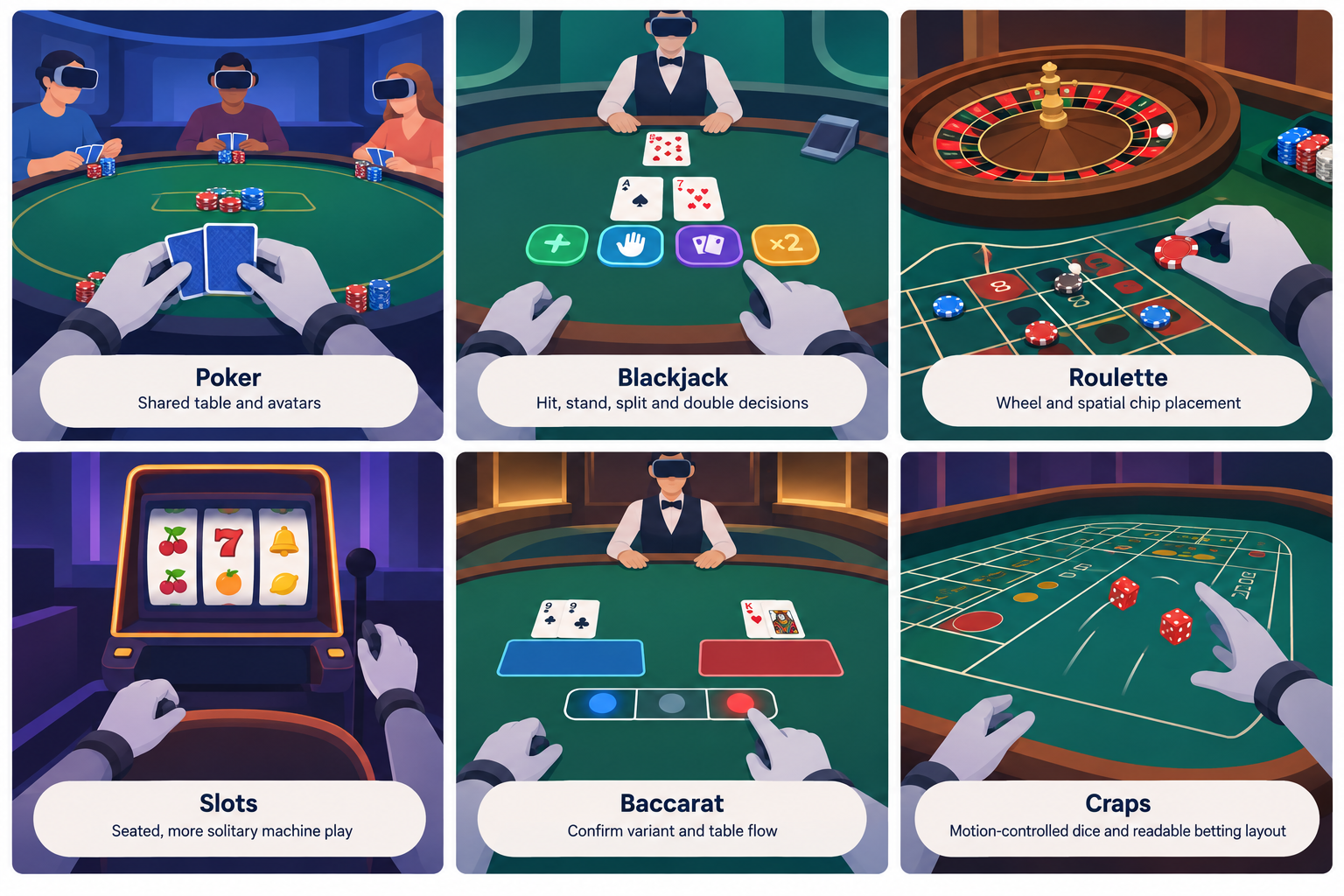
Craps is well suited to motion controls because dice can be represented as physical objects, but its betting layout can be difficult to read on lower-resolution hardware or in a crowded social room.
Compare:
- Dice controls
- Table-layout readability
- Rule guidance
- Multiplayer table capacity
- Seated and standing comfort
Find compatible options on the free VR craps games page.
Headset and Multiplayer Compatibility
Do not choose an application by title alone. A game can be available in one VR ecosystem but absent from another, and an older listing does not guarantee support for a current headset.
Headset selection matrix
The following matrix shows what to verify for each application. Compatibility is based on the version offered in a particular store, not merely on whether the application has existed on that platform.
| Application | Meta Quest | PlayStation VR2 | PC VR | Multiplayer check |
|---|---|---|---|---|
| Vegas Infinite | Check the current Meta store listing for supported Quest models | Check the current PlayStation Store listing | Check the current PC storefront and headset requirements | Confirm public rooms, private play, and cross-platform limitations |
| POKER VR | Check the current listing for supported Quest models | Do not assume availability without an official listing | Verify current storefront availability and runtime requirements | Confirm table types, private rooms, and active online requirements |
| Blackjack Casino Poker | Verify the exact headset models in the current store listing | Do not assume availability without an official listing | Verify whether an official PC version is currently offered | Check whether the desired mode is solo, online, or both |
For a broader explanation of device categories, tracking, controllers, and standalone versus PC-connected systems, consult the VR headset guide.
How to verify headset support
Use this process before downloading:
- Open the official store on your headset or platform. Search for the exact application name rather than relying on an old article or video.
- Review the supported-device list. A store page may distinguish between headset generations.
- Check the controller requirements. Some apps depend on tracked hand controllers even if the headset supports hand tracking elsewhere.
- Confirm storage and account requirements. You may need available space, a platform account, and an internet connection.
- Read the most recent update notes. They can reveal discontinued modes, newly added headset support, or changed social features.
- Inspect the purchase disclosure. Determine whether the app contains optional chip packs, subscriptions, cosmetics, or other paid items.
- Check comfort and accessibility settings. Look for seated mode, height adjustment, dominant-hand options, subtitles, and movement controls where relevant.
Multiplayer features that matter
“Multiplayer” can describe very different experiences. One application may place players at fully interactive public tables, while another may offer only limited shared rooms.
Before choosing, check for:
- Public matchmaking: Join tables with available players.
- Private rooms: Play with invited friends.
- Cross-platform play: Join people using a different headset ecosystem.
- Voice chat controls: Mute individual users or disable voice communication.
- Safety tools: Block and report disruptive players.
- Host controls: Set room access or remove participants where supported.
- Solo alternatives: Play without waiting for other users.
- Region and server availability: Connection quality and table activity may vary.
A large multiplayer environment is useful if you want social interaction, but it is unnecessary for private practice. Players who prefer a quiet experience should prioritize solo tables, private rooms, or comprehensive mute controls.
How to Choose the Right Free VR Casino Game
A good choice depends on the game you want, the device you own, and how much social interaction you prefer.
Selection checklist
Use this checklist to compare applications:
- [ ] The app supports my exact headset model.
- [ ] It includes the casino game or card variant I want.
- [ ] Its chips are for play money and are not presented as withdrawable funds.
- [ ] I understand which optional purchases are offered.
- [ ] It supports solo, public, or private play as required.
- [ ] Its controller and movement options fit how I use VR.
- [ ] Text, cards, chips, and table layouts are readable on my headset.
- [ ] It has suitable voice, mute, block, and reporting controls.
- [ ] I can play seated if needed.
- [ ] The current store reviews do not identify a widespread technical problem on my device.
Best route for different players
- New to VR casino games: Start with a multi-game app, use a tutorial or low-pressure table, and learn one interface before comparing several applications.
- Interested mainly in poker: Choose a poker-focused social app and evaluate table availability, private rooms, and moderation tools.
- Interested mainly in blackjack: Prioritize clear table rules, readable cards, and a solo or practice option.
- Looking for social VR: Focus on active multiplayer rooms, avatar interaction, voice controls, and friend invitations.
- Looking for quiet practice: Choose an app with solo play, private spaces, or the ability to disable social features.
- Avoiding accidental spending: Review purchase controls on the headset account before launching the game.
Installing and Starting Safely
The installation process is similar across most headset ecosystems, although menus and account settings differ.
- Confirm your headset model and available storage.
- Find the exact app in the official platform store.
- Read its price and in-app purchase disclosures.
- Check the age rating, content information, and online-interaction notice.
- Install the application and complete any required update.
- Review comfort, audio, privacy, and communication settings before joining a public room.
- Complete the tutorial or enter a practice area if one is available.
- Learn how free chips are awarded before considering any optional purchase.
- Set a personal time or spending limit if the app includes repeat purchase prompts.
For controller setup, table interaction, and first-session preparation, follow the guide to playing VR casino games.
Limitations to Expect
Free VR casino applications have practical compromises. Understanding them makes it easier to choose an app without treating “free” as a promise of unlimited access.
Optional purchases can influence progression
A free starting balance may not last indefinitely. If an application sells additional chips, losing the supplied balance can create pressure to wait for another allocation or buy more. Purchase controls at the platform-account level can help prevent unintended spending.
Store availability can change
An app may be removed, renamed, moved between distribution channels, or left without updates. Always treat the official store listing as the current source for installation and device support.
Multiplayer quality depends on other users
Public rooms can be entertaining, but the experience varies with player behavior, moderation, connection quality, and the number of active tables. Private rooms or solo modes offer more consistency.
VR comfort varies by player
Casino tables usually require less artificial movement than action games, but long seated sessions, close visual focus, animated environments, and avatar movement can still cause discomfort. Take breaks and use available comfort settings.
Simulated play is not a promise of real-world results
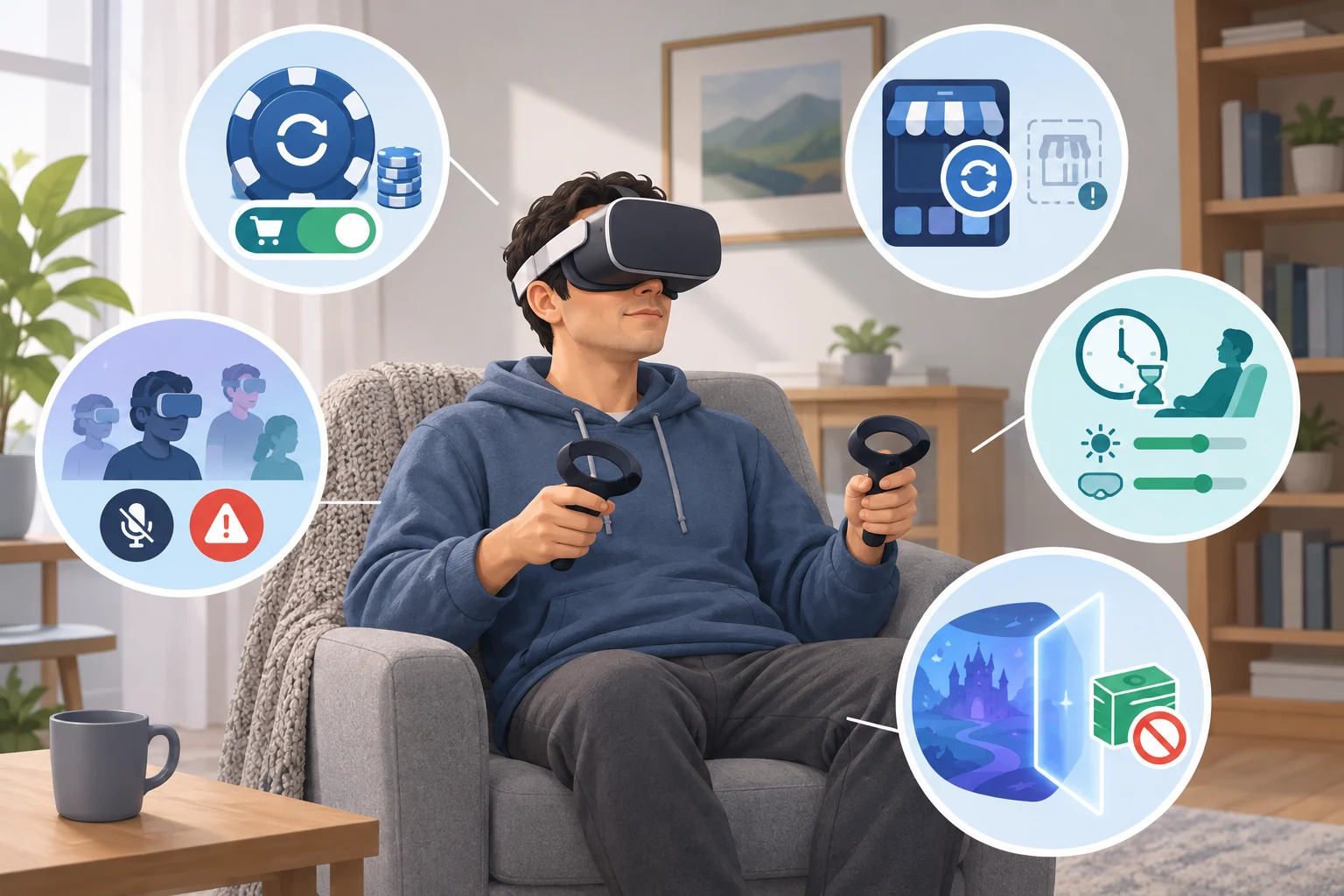
Play-money games can explain an interface or the general flow of a game, but they do not create guaranteed outcomes or financial skill. Virtual-chip behavior, table rules, and player decisions may differ from other casino environments.
Frequently Asked Questions
Can I withdraw chips won in free VR casino games?
No. The applications in this catalogue use play-money chips or similar virtual currency. They are intended for in-app gameplay rather than cash withdrawal.
Do I need to buy chips?
Not necessarily. Free-to-play applications normally provide a way to begin with virtual currency, but the amount and replenishment method vary. Some also sell optional chip bundles. Check the current app listing and in-game purchase information.
Can I play without other people?
It depends on the application and game mode. Some experiences provide solo tables or practice options, while others emphasize multiplayer. Confirm the available modes before installing if you do not want public interaction.
Are free VR casino games available on every headset?
No. Support varies by application, headset generation, operating platform, and store. Verify your exact headset model on the current official listing.
Which app should a beginner try first?
A multi-game application can help a beginner sample several formats within one interface. A focused poker or blackjack app may be easier if the player already knows which game they want. In either case, begin with a tutorial, solo mode, or low-pressure play-money table when available.