POKER VR review verdict and test status
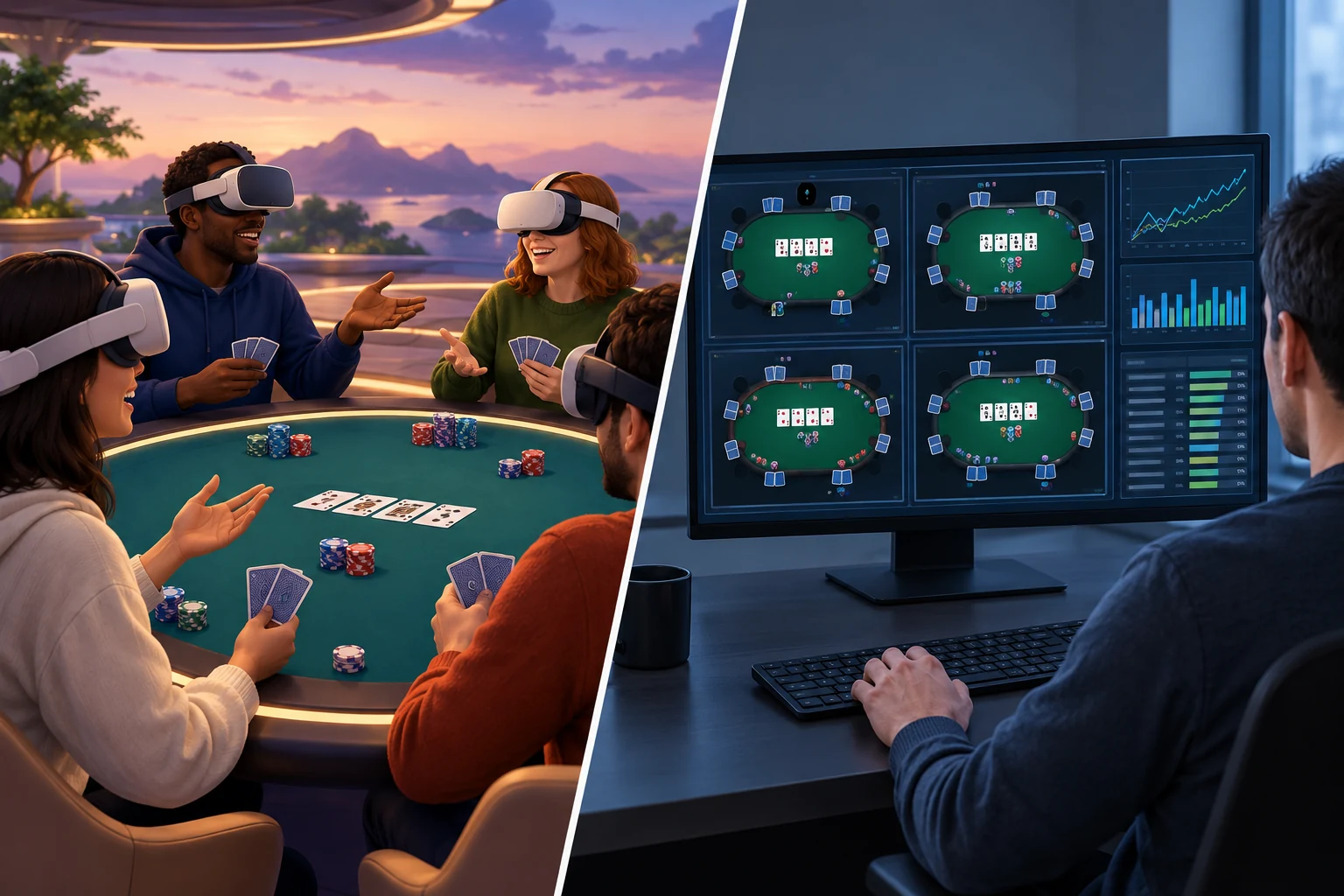
POKER VR is best understood as a social VR poker room rather than a serious real-money poker platform. Its appeal comes from sharing a virtual table, handling cards and chips through motion controls, and talking with other players in a more embodied setting than a conventional screen-based poker client.
The concept is strongest for people who want casual multiplayer poker and social presence. It is less suitable for players seeking real-money competition, detailed analytical tools, rapid multi-table play, or guaranteed access to a large population at every hour.
Review status: This is an evidence-qualified editorial assessment of POKER VR’s design, expected user experience, and disclosed feature set. No dated hands-on test results or current official store documentation were supplied for this review. Availability, supported devices, account requirements, game modes, purchase options, and community activity can change; verify them on the official listing for your headset before installing.
| Review area | Assessment |
|---|---|
| Core appeal | Casual poker played at an embodied, social VR table |
| Best for | Players who value conversation, gestures, avatars, and table atmosphere |
| Less suitable for | Real-money players, poker analysts, multi-tablers, and users who prefer fast sessions |
| Main strengths | Presence, natural table interactions, social play, low physical intensity |
| Main limitations | Reliance on other players, slower pacing, possible voice-chat friction, version-dependent availability |
| Financial model | Virtual currency and digital items should be treated as entertainment-only unless the current store listing explicitly states otherwise |
| Comfort profile | Usually seated and relatively stationary, but hand tracking, headset fit, text clarity, and session length still matter |
| Overall verdict | Worth considering for social VR poker, provided the current platform listing, player activity, and currency terms meet your expectations |
The defining question is not simply whether POKER VR simulates poker accurately. It is whether its virtual room makes sitting through hands, reading the table, and interacting with strangers or friends feel more engaging than playing on a monitor. For socially motivated players, that can be a meaningful advantage. For efficiency-focused players, VR’s extra ceremony can become an obstacle.
What POKER VR is—and what it is not
POKER VR is a virtual-reality application built around multiplayer poker and social interaction. Players occupy a shared virtual space, appear through avatars, and interact with a table using tracked controllers or other supported input methods.
That format changes the experience in several ways:
- Cards and chips become spatial objects rather than buttons on a flat interface.
- Other players occupy visible seats around the table.
- Voice, head movement, and gestures can become part of table communication.
- Sessions may feel more like visiting a card room than opening a conventional poker client.
- The pace is influenced by physical interactions and social behavior, not only game logic.
POKER VR should not automatically be treated as a substitute for regulated real-money poker. A VR casino aesthetic, chip balance, or purchasable virtual currency does not mean that funds can be withdrawn or converted into money. Players should inspect the current terms, store disclosures, and purchase descriptions before spending anything.
It is also important to distinguish this branded review from a broad roundup. Readers comparing the wider market can visit the guide to free VR casino games or the dedicated overview of VR poker game options.
Installation, supported devices, and first-time setup
Device support is a version-sensitive part of any VR application review. Store availability can change, old headset families can lose support, and an application available in one regional storefront may not appear in another.
Before downloading POKER VR, confirm all of the following:
- The listing names your exact headset model.
- The application remains downloadable in your region.
- Your headset software meets the minimum requirement.
- The installation size fits your available storage.
- Your controllers or hand-input method are supported.
- Multiplayer and voice features are operational.
- Any required platform account is available to you.
- The age rating and social-content notices are appropriate for the intended player.
- In-app purchase disclosures match your expectations.
If you are still choosing hardware, use the broader VR headset guide to understand the differences between standalone and PC-connected systems. POKER VR compatibility should then be checked separately in the applicable store rather than inferred from general headset capability.
How to install and start POKER VR
The exact menus vary by platform, but the basic process should follow these steps:
-
Open the official store on your headset or platform.
Search for the exact application name and inspect the publisher information to avoid downloading an unrelated poker title. -
Read the current listing in full.
Confirm device support, comfort information, age guidance, online requirements, supported languages, and purchase disclosures. -
Install the application.
Keep enough free storage for the initial download and later updates. -
Review requested permissions.
A social VR application may need access to platform identity, online services, microphone functions, or other multiplayer features. Grant only the permissions needed for features you intend to use. -
Set your play boundary and seating position.
A stationary or seated setup generally fits virtual poker better than a room-scale configuration. Make sure arm movements will not strike a desk, wall, monitor, or another person. -
Adjust avatar and interaction settings.
Choose an avatar, dominant hand, movement options, audio levels, and comfort settings where available. -
Learn the table controls before joining a busy room.
Identify how to view cards, check, call, bet, fold, handle chips, mute players, and leave a table. -
Test voice and privacy controls.
Confirm whether your microphone is live, muted, or controlled by push-to-talk. Locate personal-space, block, report, and mute tools before they are needed. -
Join a low-pressure table first.
Use the opening session to learn the interface rather than focusing on results or committing a large virtual-chip balance.
First-session checklist
A smooth first session depends less on poker knowledge than on configuring the environment correctly:
- [ ] Headset is charged or safely connected to power
- [ ] Lenses are clean and properly positioned
- [ ] Guardian or boundary system is active
- [ ] Chair does not rotate or roll unexpectedly
- [ ] Nearby objects are outside arm’s reach
- [ ] Controller straps are secured
- [ ] Microphone state is understood
- [ ] Mute, block, and report controls are easy to find
- [ ] Virtual-currency terms have been reviewed
- [ ] Session timer or break reminder is enabled if needed
Poker tables and gameplay experience
The core advantage: table presence
POKER VR’s central benefit is presence—the feeling that other participants are sitting around the same table. A standard poker client can display more information and resolve actions more quickly, but it rarely creates the same sense of shared space.
In VR, even simple actions contribute to the experience. Looking down at private cards, turning toward the current player, watching chips move, or reacting through an avatar gives each hand a physical and social rhythm.
This format can make casual sessions feel more memorable. It can also make waiting more tolerable when the table is conversational. However, the same design may frustrate players who want maximum hands per hour.
Controls and table interactions
A successful VR poker interface must make common actions clear without eliminating the tactile appeal of the table. The essential interaction set includes:
- Viewing private cards without exposing them
- Checking whose turn it is
- Seeing the current bet and pot state
- Selecting check, call, bet, raise, or fold
- Choosing a bet amount accurately
- Understanding chip denominations or automated bet values
- Recognizing disconnected or inactive players
- Leaving the table without accidental input
Physicality adds immersion but can also introduce mistakes. A button on a monitor occupies a fixed location; a virtual card or chip depends on controller tracking, hand position, and the application’s interaction design. Small targets and ambiguous gestures are particularly troublesome when a decision is timed.
New players should therefore verify every action before releasing a card or confirming a wager. If optional button-based controls are available, they may be preferable to fully manual chip handling during competitive hands.
Poker clarity and rules
The quality of the poker experience depends on more than attractive surroundings. The application must communicate the state of each hand without forcing players to search around the table.
Useful table information should include:
- Blind or ante level
- Player chip stacks
- Amount required to call
- Current pot
- Community cards
- Active player indicator
- Legal action choices
- Bet or raise amount
- Showdown result
- Rules governing disconnections, inactivity, and all-in situations
A beginner-friendly application should also make table stakes and game rules visible before a player sits down. Users should not have to infer whether a room uses unfamiliar betting limits or special table conditions.
This review does not assert that every listed indicator or rule option exists in every POKER VR build. They are the criteria readers should use when evaluating the current version.
Pacing: atmospheric but not always efficient
VR poker is naturally slower than highly optimized screen-based poker. Players may spend time manipulating objects, looking between seats, adjusting audio, or dealing with tracking issues. Social conversation can slow the table further.
That slower rhythm is not necessarily a defect. It supports the impression of attending a poker night rather than processing a stream of hands. The right interpretation depends on the player’s goal:
| Player goal | How POKER VR fits |
|---|---|
| Relaxed poker with conversation | Strong conceptual fit |
| Meeting friends in a shared virtual room | Strong fit if private or coordinated tables are available |
| Learning basic table flow | Potentially useful, though rules should be learned separately |
| Playing many hands quickly | Weak fit compared with flat-screen software |
| Studying ranges or reviewing hand histories | Limited fit unless the current version includes dedicated analysis tools |
| Playing for withdrawable money | Not established by this review; verify official terms |
| Playing alone at any time | Depends on current solo options and player population |
Related games and secondary activities
POKER VR has been positioned around poker, but related activities may appear, disappear, or change between builds. Players should not assume that another casino-style activity is included merely because they have seen it in an old video, screenshot, review, or community post.
Check the current product listing and in-app menus for:
- Additional card-game modes
- Side activities in social spaces
- Tutorial or practice modes
- Private-room options
- Spectator functions
- Event-specific content
These secondary features should be treated as bonuses, not the main reason to install the application. If poker tables are inactive or the core controls feel awkward, decorative environments and side activities will not compensate for the central weakness.
Social features: POKER VR’s main differentiator
Poker is inherently social, and VR can make that aspect more visible. Head direction, avatar movement, proximity, and voice create cues that do not exist in a conventional text chat.
The best social sessions are likely to involve:
- Friends who agree on table etiquette beforehand
- Players comfortable using voice chat
- Rooms with active moderation tools
- Participants who understand the pace of VR interaction
- Stable connections and clear audio
The weakest sessions are likely to involve disruptive microphones, harassment, intentional stalling, unwanted gestures, or players who leave repeatedly. Social presence amplifies good behavior and bad behavior alike.
Voice chat and table etiquette
Voice can turn an otherwise mechanical poker session into a genuine group activity. It can also expose players to background noise, abusive language, and unwanted conversation.
Good table etiquette includes:
- Muting a microphone when background noise is unavoidable
- Avoiding discussion of an active hand in a way that affects play
- Not revealing folded cards before the hand ends
- Keeping gestures away from another player’s personal space
- Acting within a reasonable time
- Respecting players who choose not to speak
- Using platform safety tools instead of escalating conflict
Players who do not want voice interaction should confirm whether individual muting, global voice controls, or friends-only communication are available. The presence of a mute function matters, but so does how quickly it can be accessed during play.
Privacy and moderation
Before joining a public table, locate the application’s current controls for:
- Muting an individual player
- Blocking future interaction
- Reporting abusive behavior
- Adjusting personal-space boundaries
- Restricting friend or invitation requests
- Controlling microphone access
- Leaving a room immediately
These controls are not peripheral features. In an application built around public social contact, they are part of the core user experience.
Parents and guardians should rely on the current store age rating and platform family settings, not on the harmless appearance of virtual cards or cartoon-style avatars. Poker themes, purchases, and unrestricted voice communication can each affect suitability.
Virtual currency and purchases
Virtual chips serve an important design purpose: they create stakes, determine access to tables, and provide a sense of progression. They can also make a free application confusing if the difference between earned chips, purchased chips, and cosmetic items is not clear.
Questions to answer before spending
Review the current purchase screen and official terms for clear answers to these questions:
- Can chips be earned through ordinary play?
- Are free chip grants or recurring bonuses available?
- Can chips be purchased with real money?
- Are cosmetic items sold separately?
- Can any purchase be refunded?
- Do chip balances expire?
- Are purchases shared across supported platforms?
- What happens to paid items if the service closes or support ends?
- Can chips or items be transferred to another user?
- Can any balance be redeemed outside the application?
Unless official terms explicitly state otherwise, virtual chips should be assumed to have no cash value and no withdrawal function. Winning a large virtual stack is not the same as winning money.
A sensible spending approach
For a free-to-download social game, the lowest-risk approach is straightforward:
- Play without paying until the controls and community prove enjoyable.
- Do not buy currency to compensate for an interface you dislike.
- Treat every purchase as entertainment spending, not an investment.
- Set a fixed limit before opening the purchase menu.
- Use platform purchase authentication where available.
- Avoid relying on a virtual balance remaining accessible indefinitely.
- Read the refund policy before confirming payment.
A virtual economy can support progression, but it may also influence table selection and session length. Players should be alert to any system that encourages chasing losses or making repeated purchases after a bad run.
User experience and comfort
Seated play suits the format
Poker is a relatively natural fit for seated VR. The viewpoint remains stable, movement is limited, and players generally do not need artificial locomotion. Those characteristics may reduce discomfort compared with experiences involving continuous virtual movement.
They do not eliminate discomfort entirely. Common issues can include:
- Pressure from the headset during long sessions
- Heat around the face
- Eye strain from small cards or text
- Neck fatigue from looking down at the table
- Shoulder fatigue from holding hands above a virtual surface
- Controller tracking loss near a physical desk
- Misalignment between the real chair and virtual seat
- Audio fatigue from a busy public room
Practical comfort adjustments
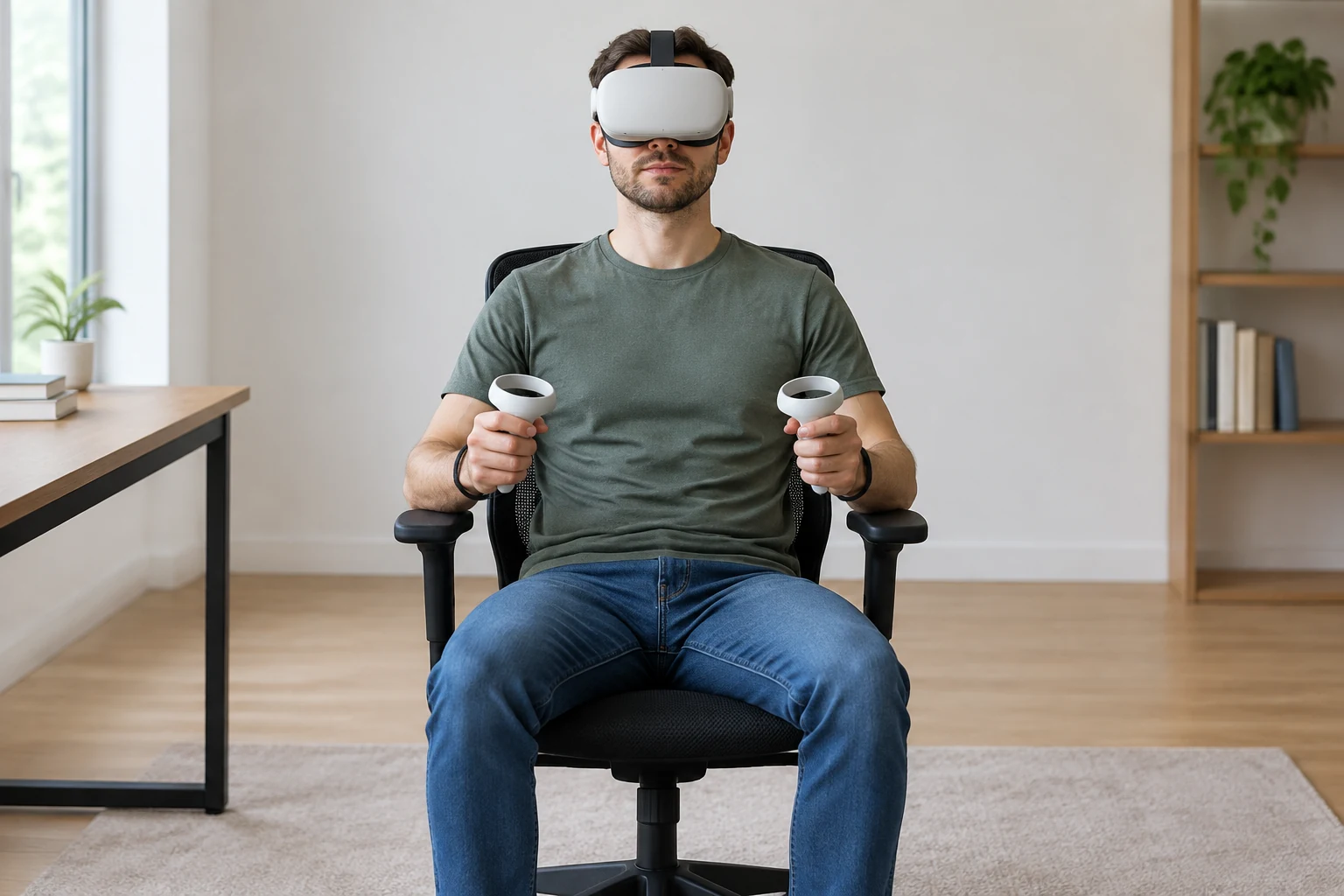
Use the following setup to make longer sessions easier:
-
Sit in a stable chair.
Avoid wheels if reaching or turning could cause the chair to move unexpectedly. -
Recenter the virtual view.
The table should sit at a natural height, with cards visible without sustained neck bending. -
Keep the real desk out of the interaction area.
A virtual table does not prevent a controller from striking a physical surface. -
Adjust headset fit before joining a hand.
Correcting straps in the middle of a hand is distracting. -
Increase text size or visual accessibility options if available.
Do not continue squinting at cards, chip values, or player names. -
Lower voice volume when the room is crowded.
Clear communication does not require excessive loudness. -
Take regular breaks.
Poker sessions can continue longer than expected, especially when conversation is active.
Stop playing if nausea, headache, dizziness, eye pain, or disorientation develops. A stationary experience can still be uncomfortable for some users.
Strengths and limitations
Strengths
- A convincing use of VR presence: A shared poker table benefits naturally from spatial seating and embodied interaction.
- More social than a conventional client: Voice, avatars, gestures, and visible reactions can make casual games feel lively.
- Suitable for seated sessions: Poker does not require intense physical movement or a large room.
- Accessible concept: Players already familiar with poker can understand the basic purpose quickly, even if the controls require practice.
- Potential for friend-group play: A virtual table can provide a gathering place when players cannot meet physically.
- Tactile appeal: Handling cards and chips can be more engaging than selecting flat interface buttons.
Limitations
- Activity depends on the community: Multiplayer value falls sharply when appropriate tables are difficult to fill.
- Slower than screen-based poker: Physical interactions and conversation reduce the number of hands played.
- Public voice chat is unpredictable: Noise and disruptive behavior can undermine otherwise good sessions.
- Tracking can affect decisions: Inaccurate input is more consequential when it causes an unintended fold or wager.
- Small interface elements may be tiring: Card faces, chip values, and menus must remain legible inside the headset.
- Virtual currency needs scrutiny: Players should understand purchase, refund, expiry, and redemption terms.
- Platform status can change: Old reviews may describe devices, modes, or social features that no longer apply.
- Not an analytical poker tool by default: VR atmosphere does not replace hand review, statistical analysis, or structured training.
Is POKER VR right for you?
POKER VR is a good candidate if most of these statements apply:
- You want poker primarily as a social activity.
- You are comfortable speaking with other players or using mute controls.
- You enjoy embodied VR interactions even when they slow the game down.
- You prefer a seated experience.
- You understand that virtual chips may have no cash value.
- You are willing to verify current server activity and device support.
- You can tolerate occasional tracking or interface friction.
- You have friends who may join, or you are comfortable entering public rooms.
Consider another format if most of these statements apply:
- You want real-money poker.
- You prioritize hands per hour.
- You need detailed statistics, notes, or hand-history analysis.
- Public voice chat is a major concern.
- You dislike handling small virtual objects.
- You want guaranteed solo play.
- Your headset becomes uncomfortable during seated sessions.
- You are primarily looking for a broad selection of casino games rather than a poker-centered social room.
Alternatives to POKER VR
The right alternative depends on which part of POKER VR matters most to you.
| Priority | Better alternative type | Trade-off |
|---|---|---|
| More poker choices in VR | Another dedicated VR poker application | Community size, controls, and monetization may differ |
| A wider range of free casino-style experiences | Browse the free VR casino games category | Broader selection may provide less depth in poker |
| Faster hands and clearer statistics | Traditional flat-screen play-money poker software | Less presence and fewer embodied social cues |
| Private games with known participants | A poker application with dependable private-room support | May require scheduling and enough friends to fill a table |
| Learning the rules | A structured poker tutorial or training tool | Usually less social and less atmospheric |
| Socializing without poker mechanics | A general social VR platform | No dedicated betting flow or poker table structure |
Do not choose solely on screenshots. For any multiplayer alternative, examine recent user feedback, current device support, moderation tools, table activity, and purchase terms. A polished room is of little value if it is empty or difficult to control.
Final assessment
POKER VR’s strongest idea is simple: poker benefits from sharing a table, and VR can recreate some of that shared presence when players are physically apart. Cards, chips, avatars, voice, and gestures give casual hands a sense of occasion that flat-screen play often lacks.
That strength comes with clear compromises. Sessions are slower, social quality depends on other users, precise input matters, and virtual-currency terms require careful reading. The application is therefore most compelling as a social destination for play-money poker—not as a replacement for real-money services, advanced poker software, or dedicated study tools.
Before installing, confirm that POKER VR is currently supported on your exact headset, available in your region, and active enough for the way you intend to play. Before purchasing anything, verify whether chips or items have any external value, how refunds work, and what happens to balances if access changes. If those checks are satisfactory and table conversation matters more than speed, POKER VR can offer a form of poker that conventional clients cannot easily reproduce.